

Most of the time you just want to read a document. Sometimes there’s a typo, a broken table or a list that needs one more item. Downer keeps the editor one keystroke away, so you can fix it without switching apps.
Source and page, side by side
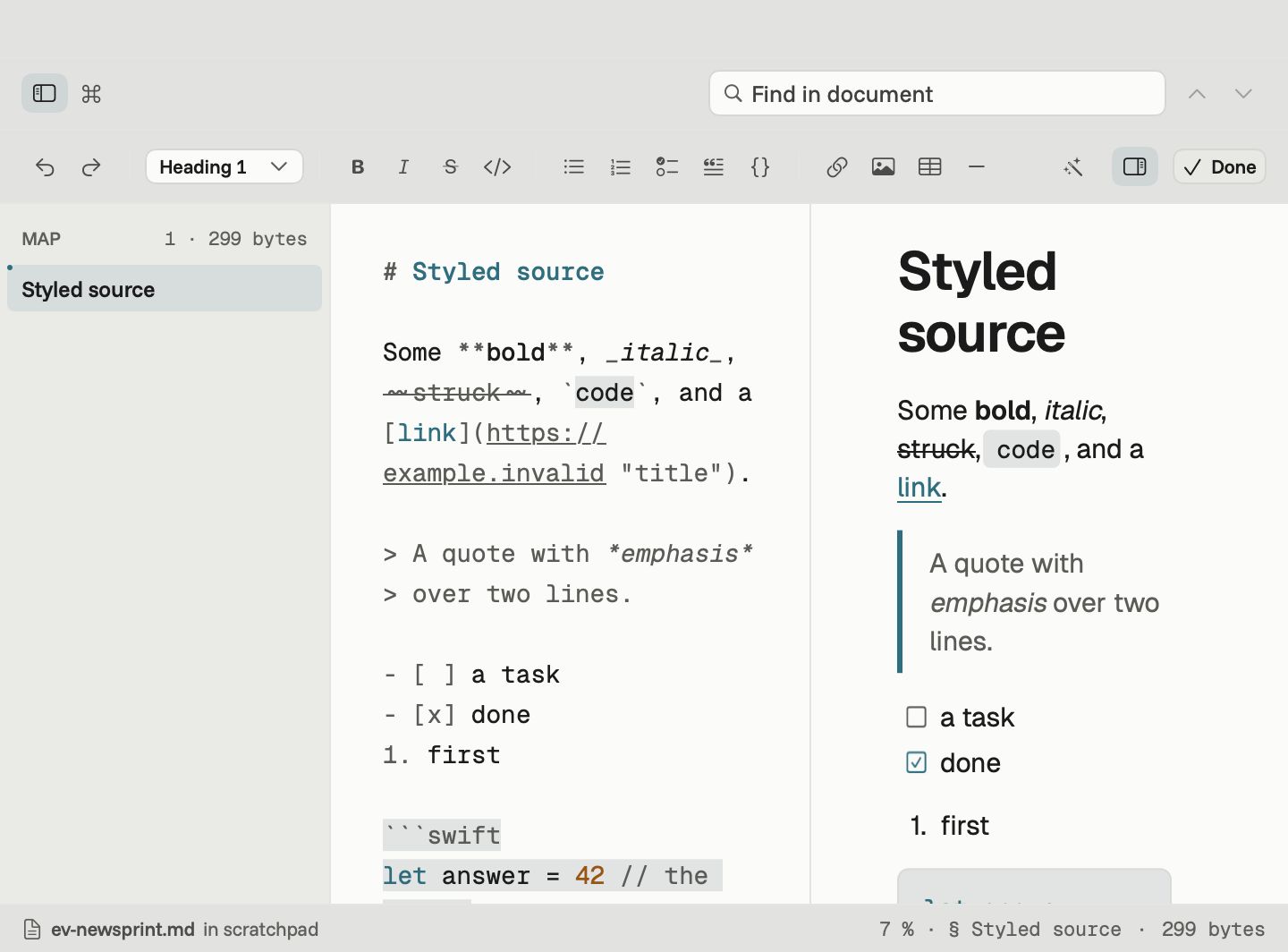
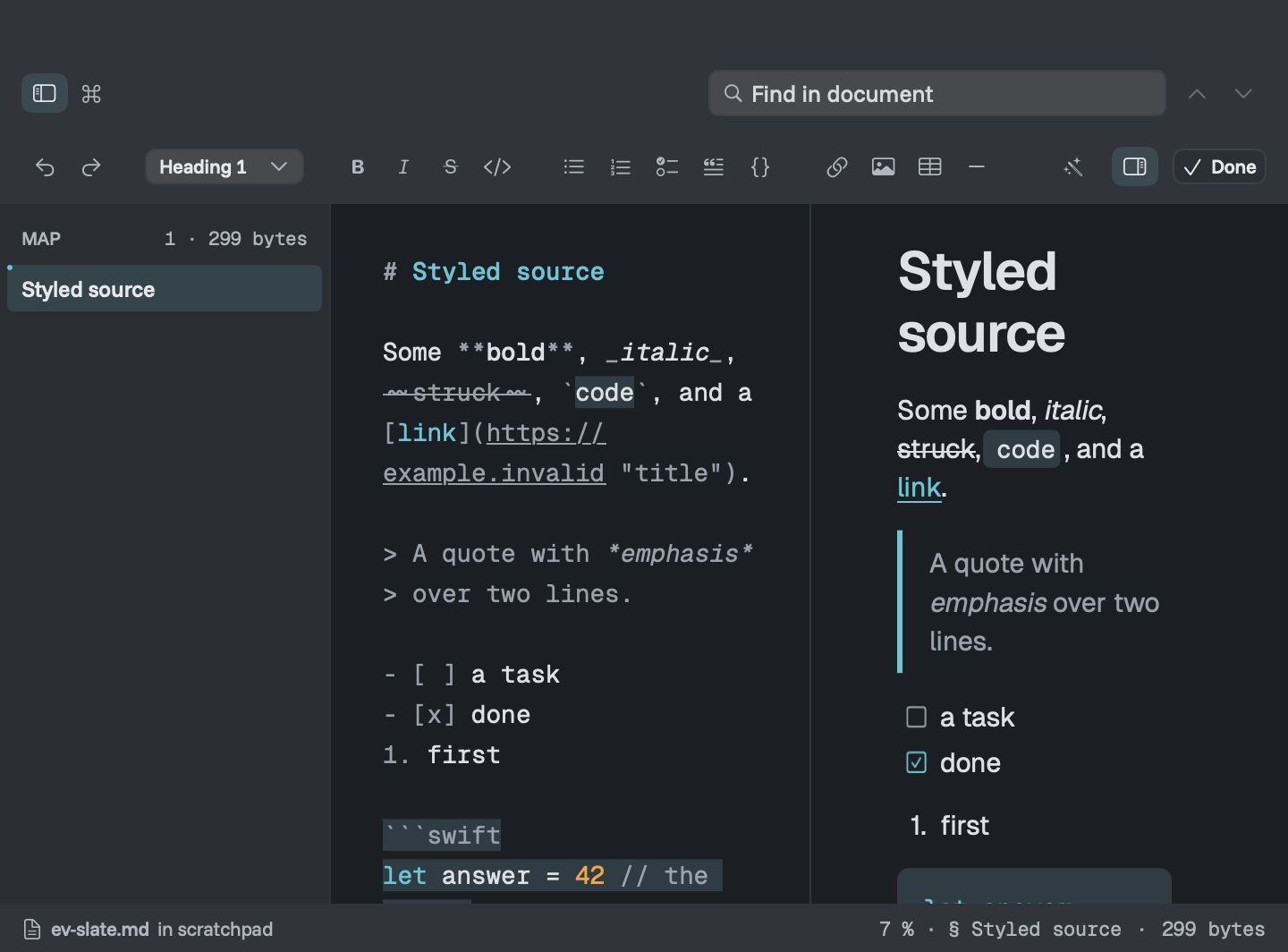
Press the pencil, or ⌥⌘E, and the Markdown source slides in on the left while the page moves to the right. The source is coloured so headings, links, emphasis and code stand out, and the Markdown symbols are dimmed.
The preview redraws a moment after you stop typing, keeps its place and scrolls along with the source. Jump to a heading from the map and both sides follow. Hide the preview when you want the whole window for writing.
Formatting bar and shortcuts
The bar under the toolbar covers the usual formatting. A button lights up when the selection already has that style, and pressing it again removes it.
| Format | Keys | Format | Keys |
|---|---|---|---|
| Bold | ⌘B | Bulleted list | ⇧⌘8 |
| Italic | ⌘I | Numbered list | ⇧⌘7 |
| Strikethrough | ⇧⌘X | Task list | ⇧⌘9 |
| Inline code | ⌘E | Quote | ⇧⌘B |
| Heading 1–6 | ⌥⌘1–⌥⌘6 | Code block | ⌥⌘C |
| Link | ⇧⌘K | Fix Formatting | ⌥⇧⌘F |
Images, tables and dividers are in the bar and the Format menu. Return continues a list or quote, and Tab indents a list item.
Fix Formatting
Markdown collected from different people and tools ends up in several styles at once: three kinds of bullet, uneven tables, stray spaces. Fix Formatting rewrites the whole document in one consistent style in a single step.
- headings, emphasis and bullets written one way throughout
- tables padded so their columns line up in the source
- one blank line between blocks and no trailing spaces
- your words, links and code left exactly as written, and lines never re-wrapped
Downer only keeps the result if the page looks exactly the same as before. If it wouldn’t, nothing changes and Downer tells you. It’s one step, so a single undo puts everything back.
Saving, on your terms
Save writes the file in place, keeping its line endings. Save As makes a copy, and Revert to Saved throws away your changes. Downer never saves on its own, so nothing on disk changes until you say so.
Editing a README for GitHub? See how Downer shows GitHub-style Markdown.