

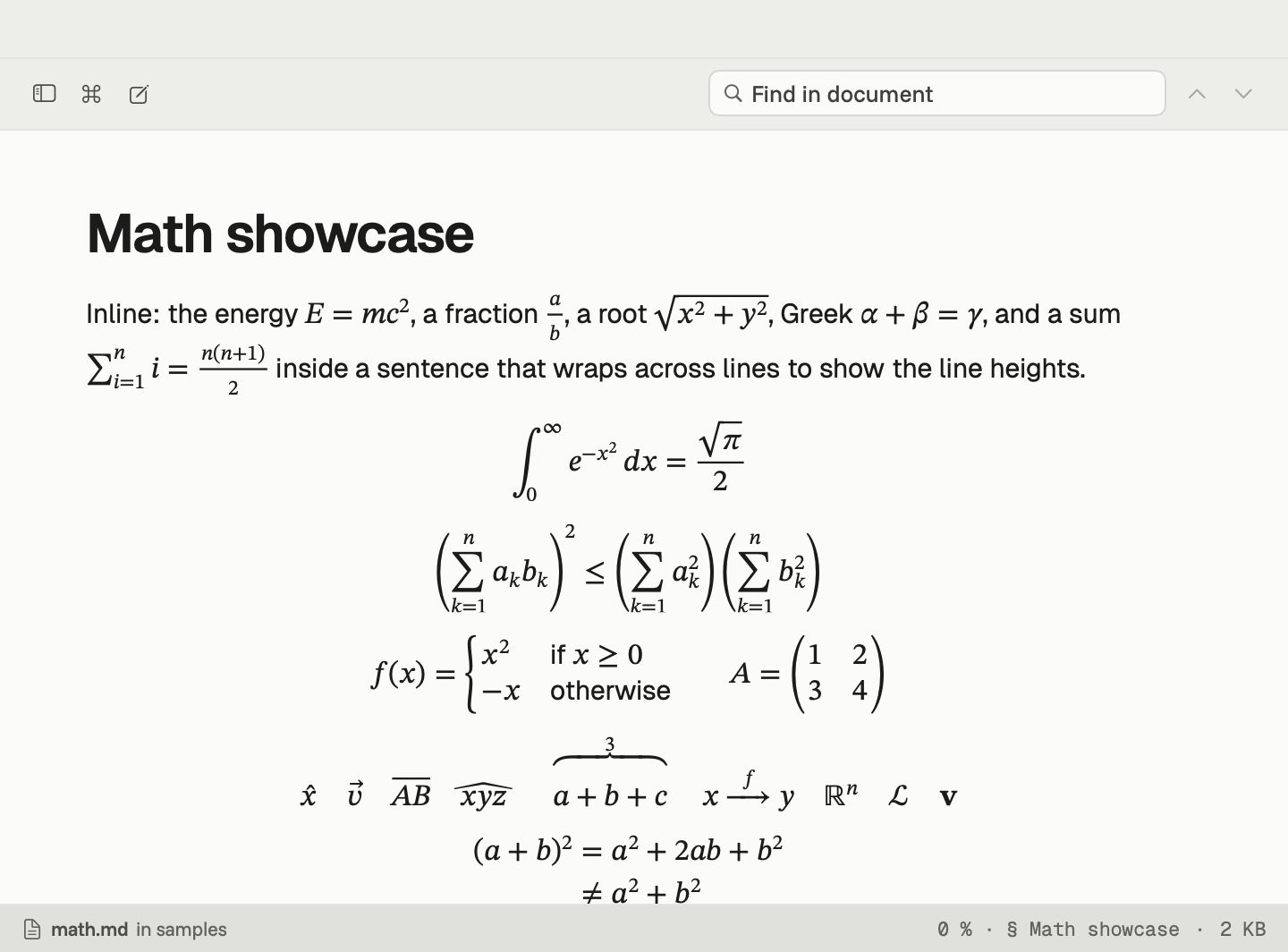
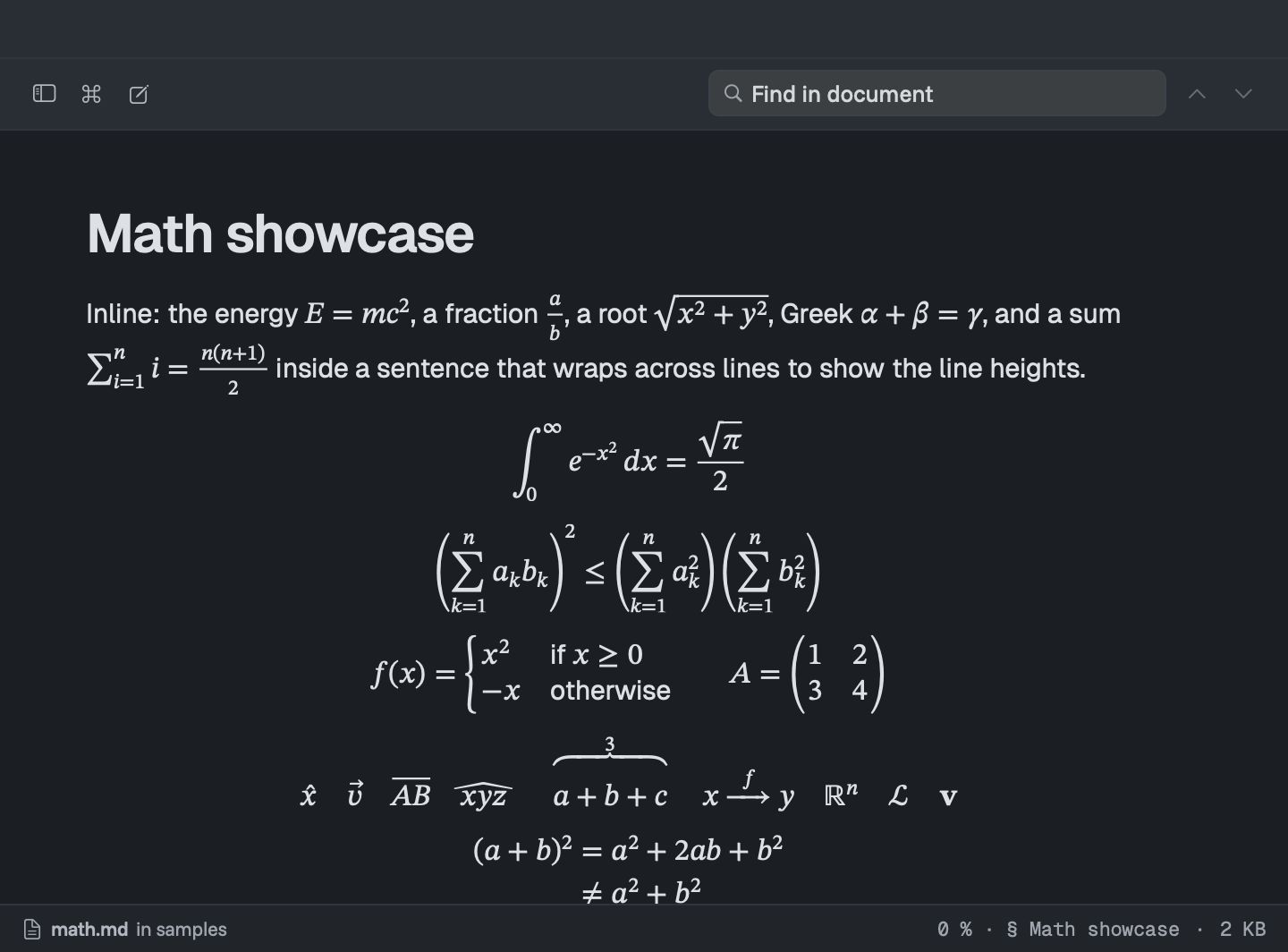
Math in Markdown has a quiet problem: the file says $\frac{a}{b}$ and most Mac apps show exactly that. Downer shows the fraction.
Write it the GitHub way
Downer reads math the same way GitHub does:
- In a line: between single dollar signs, like
$E = mc^2$, or the backtick form$`…`$ - On its own: between double dollar signs, or in a fenced block marked
math
Files you write for GitHub look the same in Downer, and files written elsewhere usually just work.
What it sets
Downer understands the command set of KaTeX, the math library many Markdown tools use. That covers:
- fractions, roots, sums, integrals and limits
- matrices, cases and aligned equations
- Greek letters, arrows, accents and the full run of symbols
- numbered and tagged equations, with tags at the right margin
- your own commands, defined once and used across the document
We test it against all of the roughly 1,000 examples in KaTeX’s own support table.
Made for reading
Equations use a proper mathematics font that matches the page, and they take on your theme’s colours in light and dark. Long inline formulas wrap at sensible points instead of running off the edge.
If a formula has a mistake, Downer shows its source in a warning colour instead of hiding it, so you can find and fix it. Open the editor beside the preview and the equation redraws as you type.
Searchable and accessible
Find looks inside equations as well as text. Copying an equation gives you its source. VoiceOver reads equations aloud.
Writing a whole paper in LaTeX rather than Markdown? Downer reads .tex files too.